ATIB
Mobile App
Company
ATIB
My Role
Product Designer
Tools
Figma
Timeline
2025
Description
A clearer home screen for ATIB's mobile banking app.
Context
A redesign of the home screen in ATIB's mobile banking app. The home screen is the first thing customers see when they open the app, so it decides how fast they can check their money and get things done.
Problem
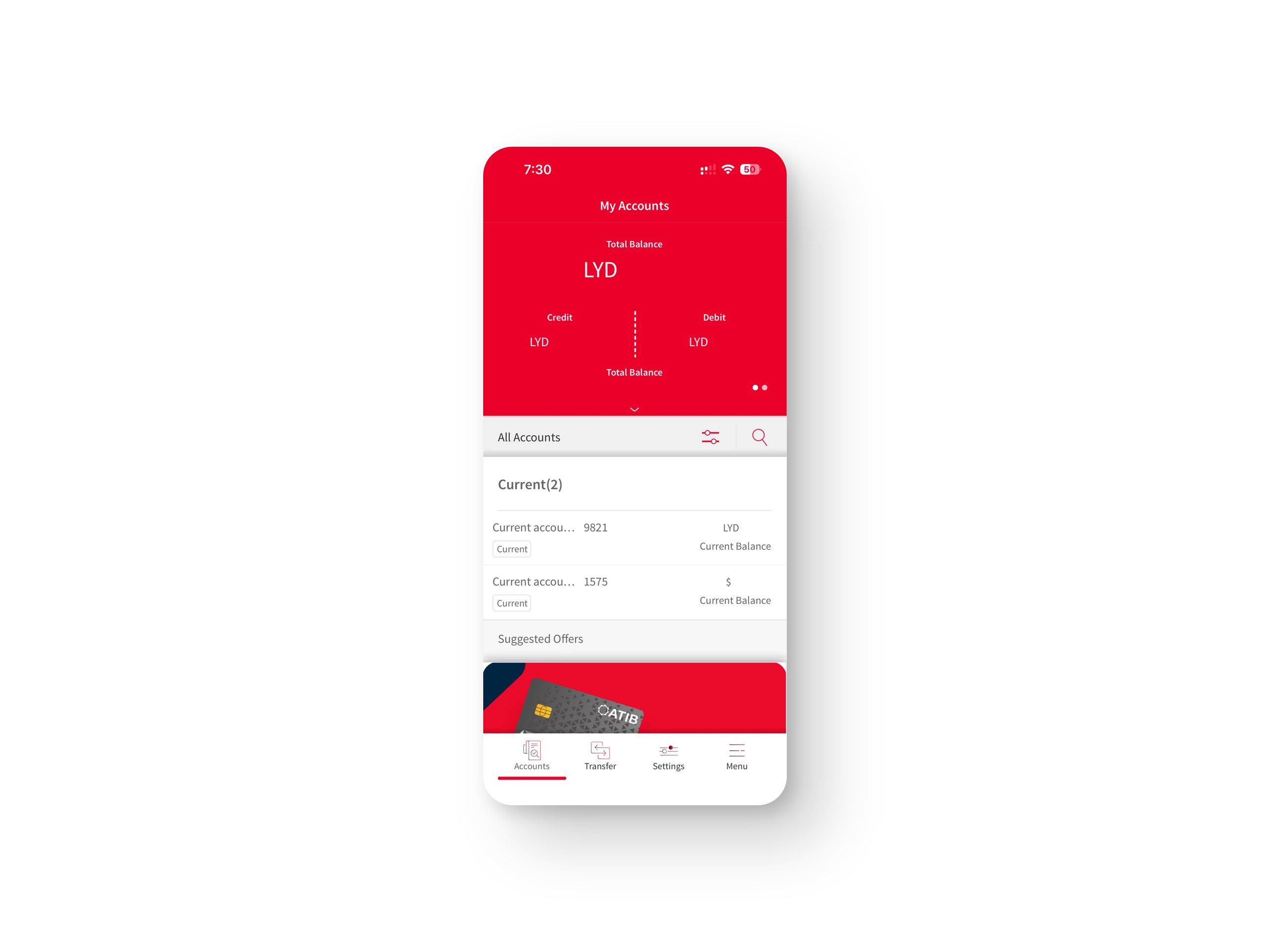
The old home screen was a list of accounts, not a place to start.
The balance sat in a red header, split into credit and debit.
Account names were cut off, and every row repeated "Current" and "Current Balance".
Transfers and recent transactions were not on the home screen.
A banner of suggested offers took the space above the tab bar.
Goal
Make the home screen the place to check your money and act on it.
See the balance of each account at a glance.
Send or request money in one tap.
Know exactly what came in and went out today.
Solution
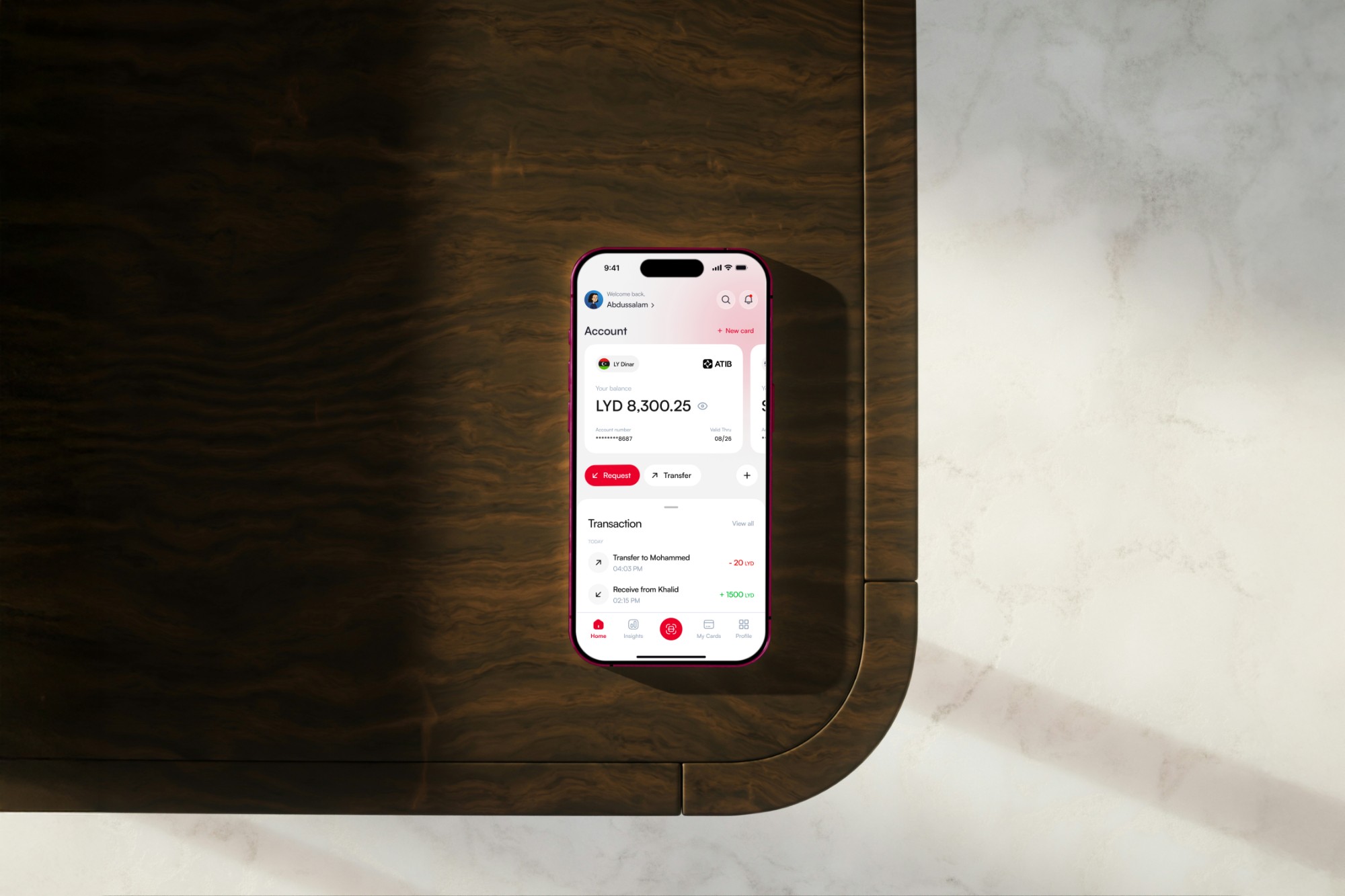
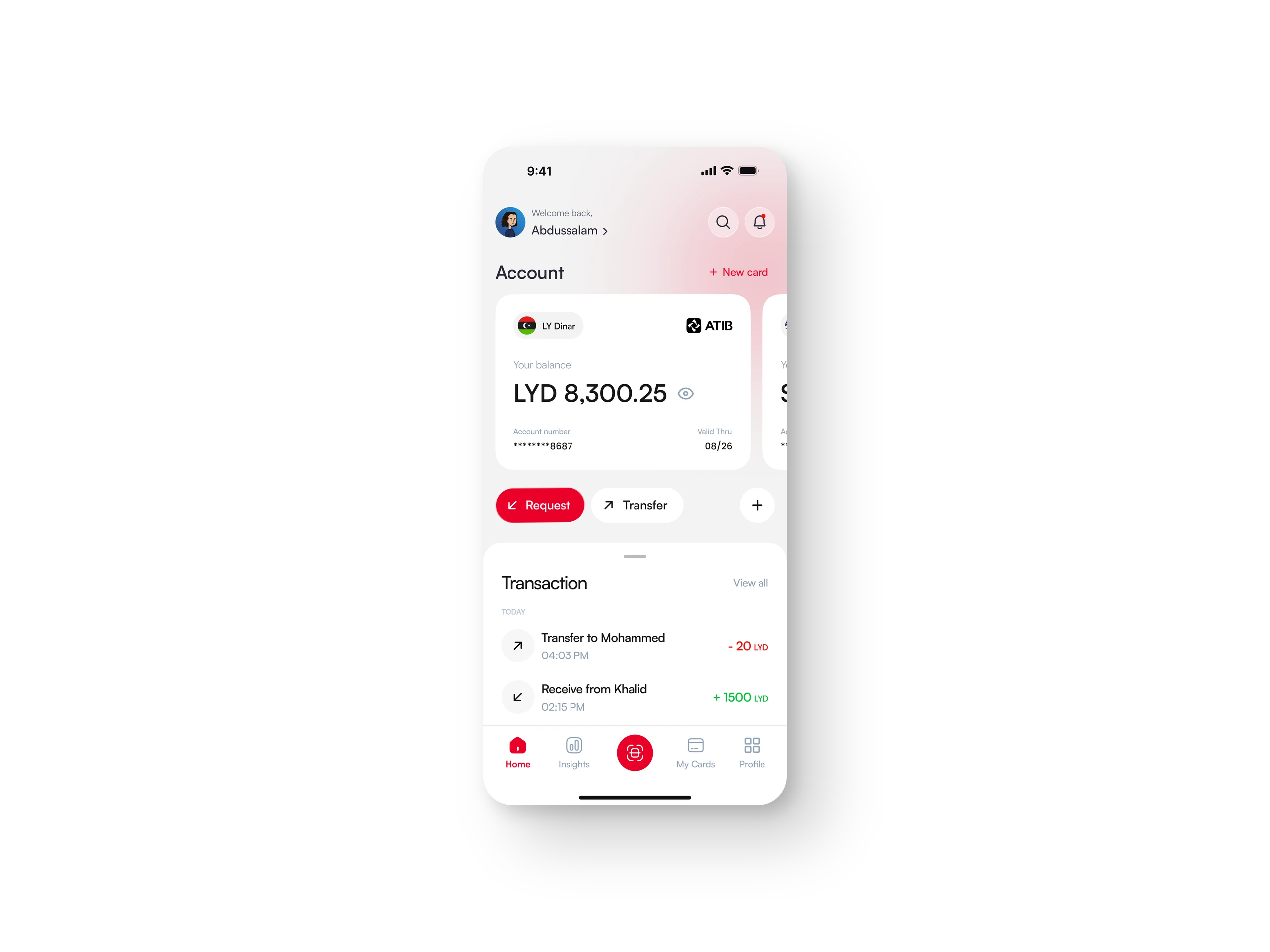
The new home screen puts every account, the main actions and the latest activity on one screen.
A card for each account, by currency, with its balance, a button to hide it, the account number and the expiry date. Swipe for the next account.
Request and Transfer right under the cards, with a plus for more.
Today's transactions, with an arrow for money in or out and the amount in green or red.
A new tab bar: Home, Insights, My Cards and Profile, with Scan in the middle.
What changed
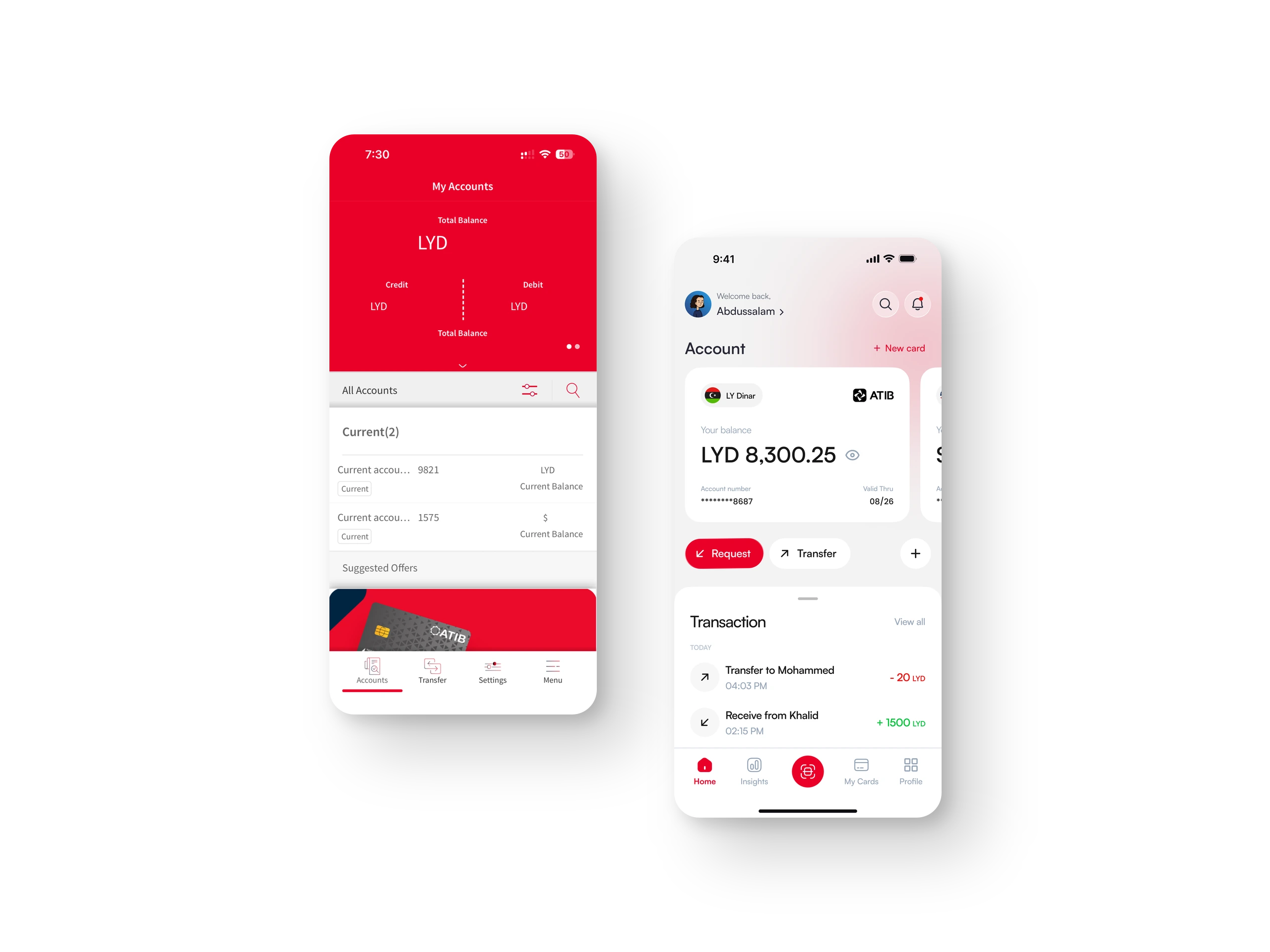
Same bank and same accounts, with a different first screen.
From a list of accounts to a card for each account
From actions in other tabs to Request and Transfer on the home screen
From no activity to today's transactions
In short, the home screen now answers two questions right away: how much do I have, and what happened today.